- Solutions
- Pricing
.avif)
“Can we just automate this?”
That’s usually the moment a startup realizes spreadsheets and manual processes won’t scale.
A simple lead update turns into five follow-ups. A quick approval needs three people in a Slack thread.
This is where a no code app builder for startups becomes a necessity, not a shortcut. CodeBlox lets teams build real business apps and automation, without writing a code.
This blog breaks down how startups use CodeBlox to replace chaos with systems and turn no-code into a real growth engine.
Many no-code tools are designed for simple demos or one-off apps. CodeBlox takes a different approach.
It’s built for business-critical applications, the kind startups actually rely on once they move past the idea stage.
CodeBlox lets teams design, build, and deploy applications using a visual, no-code interface. So can build your app without sacrificing on structure, security, or scalability.
Everything runs on a centralized platform, hosted on enterprise-grade cloud infrastructure. And hence, startups don’t have to worry about technical foundations while they are trying to grow.
All this is what makes it a strong no code app builder for startups and also a practical small business app builder once teams begin to scale operations.
Why Startups Are Choosing No-Code Platforms Over Traditional Development
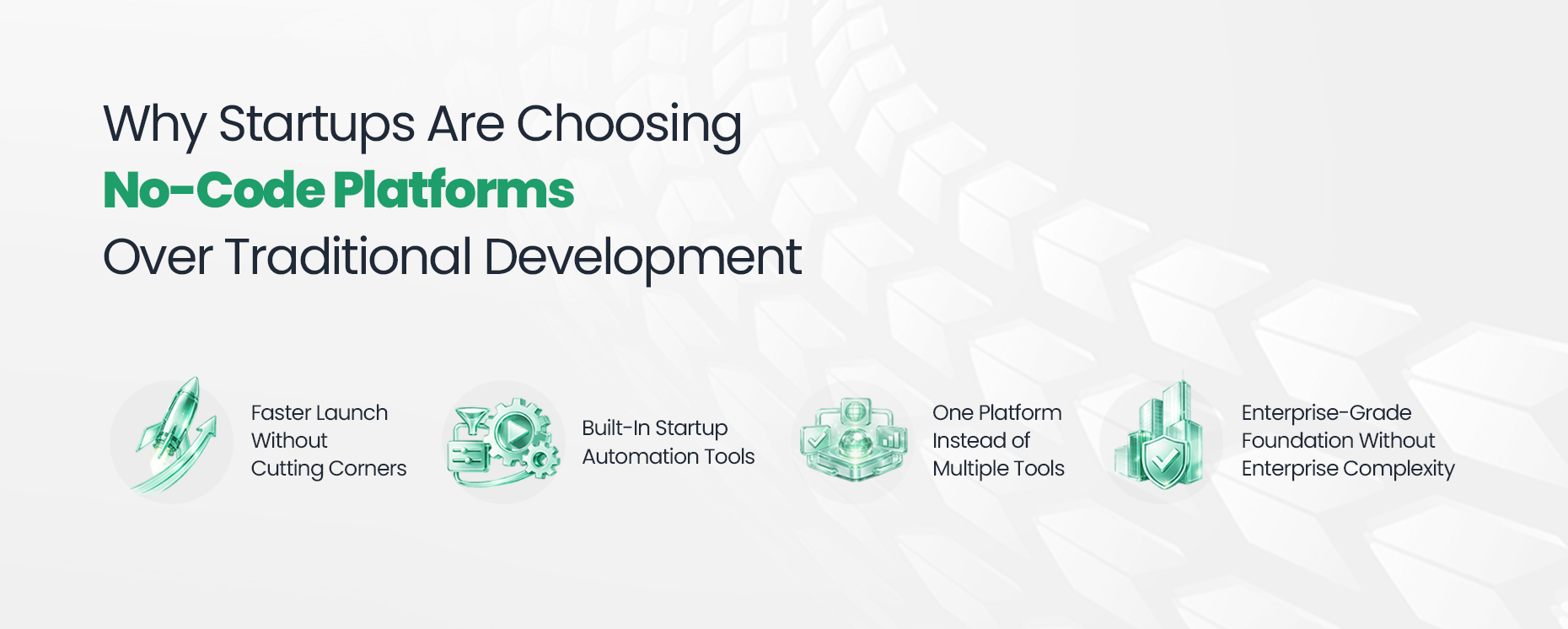
With no code platforms like CodeBlox, startups can start from pre-built business apps or create custom ones using the Design Center. Screens, forms, dashboards, and workflows are assembled visually, which dramatically reduces build time.
What normally takes months with custom development can be launched in weeks, without compromising logic or data integrity.
For startups, this means:
That’s exactly why many teams adopt CodeBlox as their primary no code app builder for startups during the MVP and early growth stages.
Most startups begin with manual processes:
These workflows are not scalable.
CodeBlox includes startup automation tools directly within the platform. Workflows can be created visually to handle:
A common startup mistake is over-tooling. CodeBlox solves this by offering a unified platform. Data lives in one system, apps are built on top of it, and workflows connect everything.
For startups and small teams, this simplifies decision-making and reduces errors.
Even early-stage startups need reliability. CodeBlox is hosted on secure cloud infrastructure and includes features like:
This gives founders confidence that what they build today will work smoothly even when users or data volume increase.
{CTA button:Explore the CodeBlox Platform:https://www.codeblox.com/solutions/no-code:Ready to build without writing code? Explore CodeBlox and see how startups are using a powerful no code app builder for startups to create apps, automate workflows, and move faster.}
Let discuss a simple way a no code app builder for startups like CodeBlox can be used.
Every successful startup begins with clarity. Before opening the builder, define one business problem you want to solve:
Once you have clarity clear, CodeBlox’s Design Center lets you visually create your first app:
You are not building everything at once. You are building just enough to make progress.
This is why CodeBlox works so well as a no code app builder for startups. It encourages focused execution instead of overengineering.
The next bottleneck is always process. Ask questions:
Who gets notified?
What happens after a form is submitted?
Which step needs approval?
CodeBlox includes built-in startup automation tools that allow you to create workflows visually. So no integrations. No scripts. No dependencies.
Here is some example for better understanding:
Automation helps you remove repeat work, so your team can focus on growth.
By now, your app is functional. This is when most startups discover something important:
what they thought they needed isn’t always what users actually want.
With CodeBlox, iteration is fast:
Because everything is visual, improvements don’t require developer cycles or long delays.
This rapid feedback loop is one of the biggest advantages of using a no code app builder for startups instead of traditional development.
Once the app is working, you can:
Sales, operations, finance, and HR can all run on the same system, using the same data.
Your startup is not going to stay small forever and the tools you choose early should grow with you.
CodeBlox is often adopted first as a no code app builder for startups, then continues serving teams as a small business app builder when operations become more complex.
Here’s where it delivers immediate value.
Many startups rely on spreadsheets far longer than they should. With CodeBlox, teams replace spreadsheets with structured apps for task management, vendor tracking, resource management, and more.
You don’t need heavyweight CRMs on day one. Using CodeBlox, startups build lightweight, custom sales systems. You can have lead capture and set qualification parameters. Track the deal, view and trigger followup reminder, and more.
For quick answers to questions like:
CodeBlox dashboards give real-time visibility without manual reporting. Data updates automatically as workflows run.
No-code amplifies whatever strategy you bring to the table. CodeBlox doesn’t just let you build apps. It forces clarity:
This structure helps startups avoid a common trap: building fast blindly.
By this stage, most startups using CodeBlox have:
One of the biggest reasons founders hesitate before adopting no-code is uncertainty around cost. With CodeBlox, infrastructure, hosting, and maintenance are already part of the platform. That means no surprise server costs and no dependency on large engineering teams.
The ROI becomes visible quickly:
For most early-stage teams, that trade-off alone justifies choosing a no-code platform early.
CodeBlox no code app builder addresses data security and access by combining ease of use with enterprise-grade fundamentals:
Unlike ad-hoc tools, CodeBlox keeps all apps and workflows on a single platform. This makes governance simpler as teams grow and responsibilities expand.
Most importantly, startups retain control over their data. You are not locked into scattered tools or fragile integrations. Everything remains structured and exportable.
This level of control is one reason CodeBlox works well not just as a no code app builder for startups, but also as a long-term small business app builder.
If you are evaluating no-code for your startup, here’s a practical suggestion to begin with.
This approach keeps risk low and momentum high, exactly what early-stage teams need.
No-code is often seen as something to try “later.” But the startups that benefit most are the ones that adopt it before complexity sets in.
Using a no code app builder for startups early allows teams to:
CodeBlox supports this mindset by making structure easy from day one, without slowing teams down.
If you are exploring no-code seriously, the best next step is hands-on experience.
A no code app builder free trial or guided demo helps you understand how quickly ideas turn into working applications and how automation fits naturally into your processes.
With CodeBlox, you are not just building apps. You are building a foundation for growth. Start small. Build fast. Scale with confidence. That’s what a true no-code growth engine looks like.
{CTA button:Book a CodeBlox Demo:https://www.codeblox.com/schedule-demo:Want to see CodeBlox in action for your business? Book a personalized demo and get a walkthrough tailored to your startup’s workflows, growth stage, and automation needs. Our team will help you map your first app and show how CodeBlox can scale with you.}
Find answers to the most common questions about our no-code platform and how it can help you build powerful business application solutions without writing a single line of code.
%20(1).avif)
Tilly leads Operations and Solution Delivery at CodeBlox, partnering with enterprise teams to design scalable business systems before development begins. With hands-on experience across ERP, CRM, finance automation, and industry-specific digital transformation projects, she writes about solution architecture, process optimization, AI-powered workflows, and the practical decisions that determine whether enterprise software succeeds in the real world.
.avif)
%20(1).avif)

%20(1).avif)

.avif)
.avif)
.avif)

.avif)

.avif)
.avif)
.avif)


.avif)
.avif)
.avif)
.avif)
.avif)
.avif)
.avif)
.avif)
.avif)
%20(1).avif)

.avif)








.avif)
.avif)
.avif)
.avif)


.avif)
.avif)
.avif)


%20(1).avif)
.avif)