By clicking “Accept All Cookies”, you agree to the storing of cookies on your device to enhance site navigation, analyze site usage, and assist in our marketing efforts. View our Privacy Policy for more information.

No-Code App Builder

Automate Your Business Processes with No-Code App Builder

Create custom apps for any business function in any industry with CodeBlox's no-code app builder. Streamline your operations and manage sales, finance, HR, and more with a perfect, no-code, rapid development platform that allows you to enhance your application instantly to meet your team's current needs.

Tailor-made Solution for Your Industry

Traditional software solutions can be costly, time-consuming, and disruptive to your business. Why put up with managing your business on paper, spreadsheets, or disparate systems that are expensive and do not communicate with each other? CodeBlox's easy-to-learn, no-code platform allows you to fully customize your software solution on a common database and dashboard without requiring developer skills.

Start with one of our pre-built apps, design your own, or replicate any of your current business functions. Create custom forms, workflows, business rules, reports, invoices, and more to perfectly meet the needs of your industry and business.

If you've been struggling to find the right software for your unique business, CodeBlox is the answer.

Harness the Power of No‑Code App Builder for Your Business

Application Design Center

Create fully customized business applications without writing a single line of code. Our intuitive drag-and-drop interface provides access to a comprehensive suite of features.

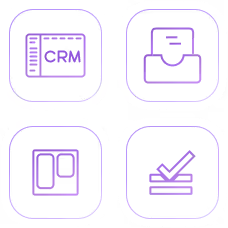
Pre-built apps

including CRM, HR Management, Project Management, and others
Menus

Forms

  • Dozens of pre-built and industry-specific forms to choose from. 
  • Create new Forms or Linked Forms (parent-children) 
  • Form options: add fields, notes, timers, events, search, and many more!
  • Field options include any data type, format, validation, security, and many more!

Workflows

  • Triggers via a data condition, user click, or scheduled time
  • Includes a wide selection of automated tasks

Templates

  • HTML editor to create welcome letters, customer invoices, delivery notices, etc.

Analytics

  • Drag & drop report fields
  • Report options to add conditions, filters, aggregates, sorting, and many more
  • Switch between List view and chart view (dozens of chart types to choose from)

Help

Built-in User Help & Training for any created Form/Dashboard

Security

Roles to grant access to only what user needs to perform their function

Import/Export

  • Import or Export data from any Form
  • Execute rules on imported data
  • See in-progress job status

Account Settings

  • Site Style: Colors, Fonts, & Logo
  • Site Settings: Language, Currency, enable Chat & Reminders, etc.
  • Site Connections: Connect with a range of system APIs & File Shares  or create your own.

Dashboard Design Center

Take control of your data visualization. Drag-and-drop interface allows you to create insightful dashboards that transform your data into actionable insights.

Form & Report options

  • Switch between default View types: List, Calendar, Gantt, Kanban, etc.
  • Style colors, fonts etc for Form & individual fields.
  • Move & re-size any field
  • Hide and show fields
  • Add Conditions & Filters to limit record set
  • Add Aggregate Fields (sums, counts, etc.)
  • Save favorite layouts to use Forms on multiple dashboards

Dashboard Elements

Drag & Drop any Form, Linked Form Group (Tree, Tab) Report, Universal Report, FileShare, Multimedia viewer, etc. to any Dashboard
Frequently Asked Questions

Find answers to the most common questions about our no-code platform and how it can help you build powerful business application solutions without writing a single line of code.

What is the No-Code App Builder from CodeBlox?

CodeBlox’s No-Code App Builder is a visual, drag-and-drop platform that lets you design, build, and deploy custom business applications without writing a single line of code. It helps automate workflows, manage forms, dashboards, and data all from one unified system.

Who can use CodeBlox’s no-code platform?

Anyone in your organization, including business managers, operations teams, and non-technical users, can build and modify apps without software development skills. The intuitive tools make complex business apps easier to create and maintain.

What kinds of applications can I build?

You can build apps for any business function, such as CRM, HR management, finance, workflow automations, reporting dashboards, invoices, and more, tailored to your industry and internal processes.

Do I need developers to use CodeBlox?

No. CodeBlox’s no-code platform is designed so non-developers can build and update apps independently using drag-and-drop interfaces, workflows, and templates.

Can I start from a template or pre-built app?

Yes, CodeBlox offers pre-built forms and applications (like CRM and project management) that you can immediately use and customize to fit your workflows.