- Solutions
- Pricing

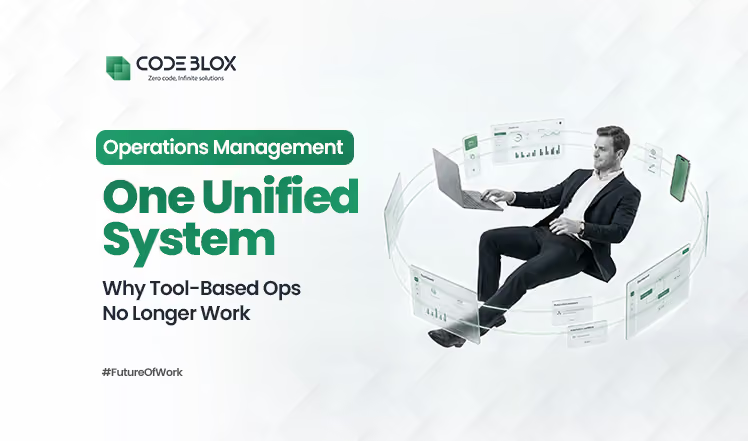
Unified business management systems combine CRM, workflows, and automation into one scalable platform. Rather than juggling 10+ disconnected tools, businesses consolidate core operations into a single interface—reducing complexity and costs.
According to a survey, companies use anywhere between 10 to 25 different software tools to run daily operations. CRM for sales. One tool for projects. Another for finance. Something else for approvals. Spreadsheets to glue it all together.
None of these tools were a bad decision on their own. The problem started when every team solved their problem independently.
Data lives in silos. Teams copy-paste information between systems. Reports never match. Automations break the moment something changes. And leadership has zero real-time visibility.
This is exactly why more businesses are now moving toward a unified business system, not another tool, but a single system that replaces tool chaos with clarity.
And that’s where the conversation really begins.
A unified business system is not just “many tools connected with integrations.” A true unified system means:
Sales, operations, finance, HR, approvals, reporting, all operating inside one environment, not ten browser tabs.
This is also why many companies now search specifically for a unified business management system instead of yet another SaaS product. They are not trying to add features but trying to remove friction.
In a unified setup:
For years, the advice was simple: Buy the best tool for every job. That worked when businesses were smaller and processes were simpler. Today, it backfires.
Here’s why:
This is where companies hit a wall and realize they don’t need more integrations. They need fewer systems.
This is an important distinction. Many platforms talk about no-code integration, and yes, that helps. But integration alone doesn’t solve structural problems.
Connected tools still mean:
A unified business system removes the fragmentation at the foundation level.
Instead of:
“When X happens in Tool A, trigger Y in Tool B…”
You get:
“X and Y are part of the same system.”
That difference is massive.
It’s also what allows businesses to finally implement custom business automation without turning every request into a development ticket.
This is exactly the problem CodeBlox was designed to solve. Not as “another tool,” but as a platform to build your own unified system.
With CodeBlox:
Instead of managing CRM + project tool + approval software + dashboards + integrations… you design one connected architecture that reflects how your business actually works.
{CTA button:Explore CodeBlox:https://www.codeblox.com/solutions/no-code:Explore the product See how CodeBlox brings all your workflows into one unified business system Explore the platform and understand how you can replace scattered tools with a single, flexible system built around your processes.}
When everything lives inside one system:
Want to change an approval rule?
Add a new department workflow?
Extend automation across teams?
You don’t wait months. You don’t rebuild integrations. You don’t break reporting.
That level of control is why companies are actively moving away from tool stacks and toward a unified business system approach.
Let’s be honest. Most businesses talking about digital transformation are still running on:
These systems are not going away. That’s why the real challenge is not modernization, it’s how to merge legacy systems into modern workflows without breaking the business. This is where many initiatives fail.
Traditional approaches try to:
The result? More complexity. More dependencies. More points of failure.
A unified business system takes a different route. Instead of forcing legacy tools to behave like modern apps, it:
Automation gets talked about a lot. But most businesses only scratch the surface.
They automate notifications. Maybe a task assignment. Sometimes a basic approval. That’s not transformation. That’s optimization.
Custom business automation is different.
It’s when automation reflects your process and not a generic template.
Examples inside a unified setup:
You simply cannot do this cleanly when:
A unified business system puts automation at the center, not the edges.
That’s why businesses adopting this approach don’t just save time, but they also gain consistency and control.
Tools are built for categories, and businesses are built on processes. As you grow, teams multiply, rules change, compliance tightens, and more. A stack of disconnected tools struggles here.
But a unified business management system scales differently:
You don’t have to start over, but you build forward. That’s the architectural advantage most teams underestimate until they feel the pain of not having it.

One common fear stops teams from moving toward a unified business system:
“This sounds great, but we can’t shut everything down and start over.”
Good news! You don’t have to. Most companies that succeed with a unified business management system don’t replace tools all at once. They absorb them gradually.
Here’s what that looks like in practice.
Before unification:
After moving to a unified setup:
No copying. No syncing issues. Just one flow inside a unified business system.
Many companies don’t want to replace their ERP and they shouldn’t.
Instead, they:
This is how businesses merge legacy systems without risking stability.
The legacy tool remains untouched, and the experience around it improves dramatically.
Think about how many tools exist only to manage process logic. Inside a unified business system, these don’t need to be separate products.
With custom business automation, companies build:
All inside the same environment, using the same data.
Most platforms talk about flexibility, but once real business complexity shows up, that promise usually falls apart. Rigid templates, forced workflows, and endless workarounds slowly bring teams back to the same problem: too many tools doing too little together.
This is where CodeBlox fits naturally into the journey.
CodeBlox is designed for businesses that want to move away from tool sprawl and toward a unified business system without disrupting what already works. It doesn’t force you into predefined structures. Instead, it gives you a shared foundation where data, workflows, and automation live in one place.
At the core of CodeBlox is a single, connected architecture. Data is centralized instead of scattered. Automations are native instead of stitched together with fragile integrations. Logic is visual and no-code, which means business teams can build and adapt workflows without waiting on developers. This makes it possible to design custom business automation that actually reflects how your organization operates.
Another reason CodeBlox works so well is how it handles change. You don’t have to unify everything on day one. Teams can start small with one workflow or department, build only what’s needed, and expand gradually. Existing tools and systems don’t need to be ripped out. They can stay where they make sense, while CodeBlox helps merge legacy systems into modern, automated workflows around them.
Over time, something important happens. Individual apps and workflows begin to connect. Data becomes consistent. Reporting starts to make sense. What once required multiple tools and manual handoffs now runs inside a single unified business management system. Not because everything was replaced, but because everything was finally aligned.
If your organization is struggling with too many tools, too many integrations, and too many “temporary” fixes that became permanent, the problem is not effort, but it’s architecture. A unified business system isn’t about replacing everything overnight. It’s about creating one place where your business logic finally lives and evolves.
If you are ready to simplify operations, reduce tool chaos, and build a system that actually works the way your business does, now is the right time to explore what CodeBlox can do for you.
{CTA button:Schedule a Demo:https://www.codeblox.com/schedule-demo:Not sure where to start with unification? Let’s map it together. Book a demo with the CodeBlox team and see how your existing tools and legacy systems can be unified without disruption.}
Find answers to the most common questions about our no-code platform and how it can help you build powerful business application solutions without writing a single line of code.
%20(1).avif)
Chris has spent more than a decade designing and delivering enterprise software for organizations with complex operational requirements. Drawing from real implementation experience, he writes about enterprise architecture, CRM strategy, digital transformation, software modernization, and the challenges organizations face when scaling business operations.
.avif)
%20(1).avif)


%20(1).avif)


.avif)
.avif)
.avif)

.avif)
.avif)
.avif)
.avif)


.avif)
.avif)
.avif)
.avif)
.avif)
.avif)
.avif)
.avif)
.avif)
%20(1).avif)

.avif)









.avif)
.avif)
.avif)
.avif)
.avif)

.avif)
.avif)
.avif)

%20(1).avif)
.avif)