- Solutions
- Pricing
Most teams comparing CodeBlox vs Lovable want the same thing: describe an app in plain words and get something that works. Both platforms start from a prompt. Where they differ is what comes back. CodeBlox returns a running business app with its data, workflows, and permissions already set up. Lovable returns a web app built from generated code that your team then shapes and maintains.
This comparison looks at both through one lens: building and running business apps. It covers how each platform works, what it includes, how pricing behaves as you grow, and which one fits common business scenarios.
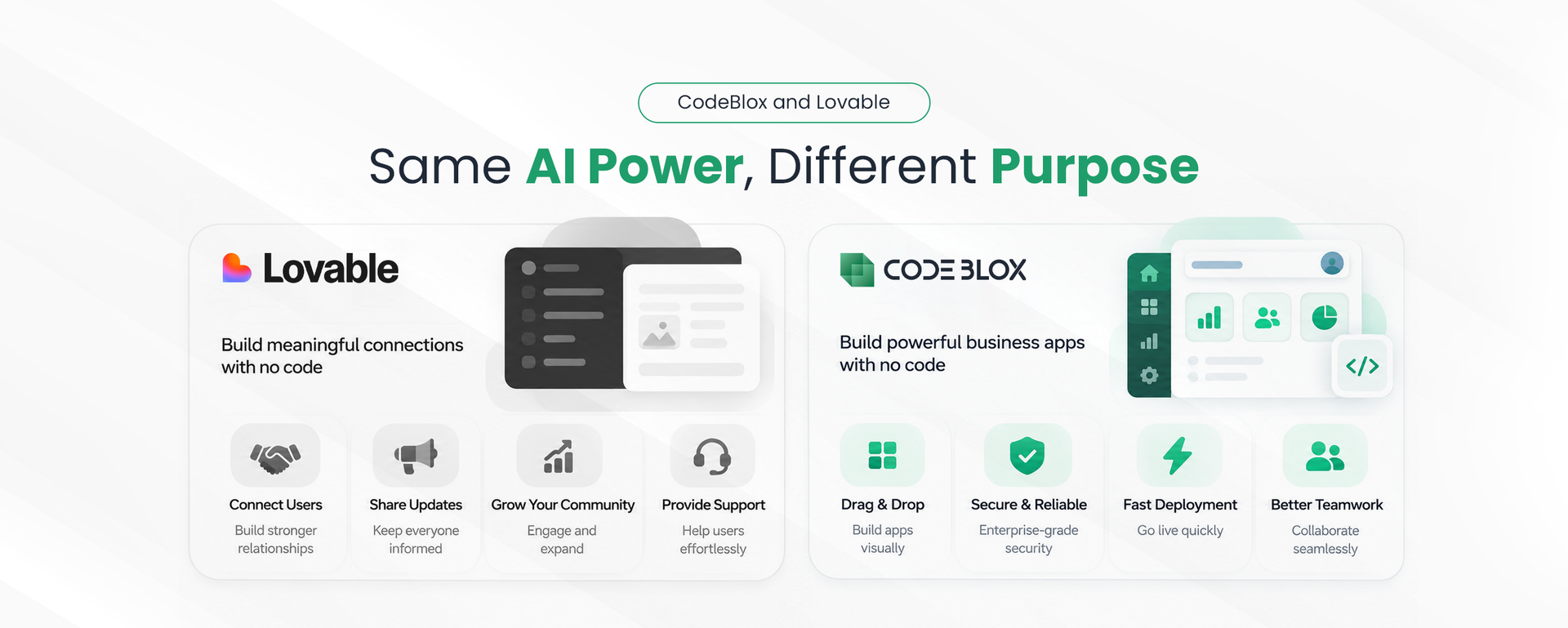
CodeBlox and Lovable both use AI to turn a prompt into an app, but they are built for different jobs. CodeBlox builds and runs business apps. Lovable generates code for web apps.
CodeBlox is an AI no-code platform that turns a plain-language description into a working business app. It sets up the database, workflows, permissions, and dashboards, then hosts the app on Microsoft Azure so the team can start using it right away.
CodeBlox is popular with operations teams, IT leaders, agencies, and founders who want business software without a long development project. Because the app runs on the platform instead of on generated code, anyone on the team can change a field, an approval step, or a dashboard by clicking or by asking CodeBlox AI. When a project needs extra hands, the ProServe team helps with setup, migration, and integrations.
Lovable is an AI app development platform that turns prompts into working web applications. It generates the front-end code, connects a backend through Lovable Cloud, and lets builders publish the result or sync the code to GitHub.
Lovable is popular with founders, product managers, and developers who want to move from an idea to a working web product quickly. Because it produces real code, it gives builders a lot of design freedom, and developers can keep working on the code outside the platform.
The table below compares both platforms on the features that matter most for business apps. Details reflect each company's published plans as of October 2026.
Both platforms start with a prompt. The difference shows up after the first version, when the business needs changes, controls, and approvals.
Building on CodeBlox takes three steps. First, you describe what the app should do, or pick a sample prompt such as a sales CRM or IT service desk. Next, CodeBlox AI builds the tables, workflows, permissions, and dashboards. Finally, you review the app, edit it by clicking or by prompt, and share it with your team.
Because the app runs on the platform rather than on generated code, later changes stay simple. Adding a field, changing an approval step, or limiting who can see a column takes a click or a short request to CodeBlox AI.
This suits teams where the people who run the process also own the app. An HR manager can adjust an onboarding flow, and a finance lead can add an approval rule without filing a ticket with IT. The no code app development model also keeps every app on one shared data layer, so a CRM, a project tracker, and an invoice approval system can use the same records.
On Lovable, you describe the app in chat, and the AI writes the code. You then refine it with more prompts or edit the code directly. This gives a lot of freedom over design and features, and it works well for unique product ideas.
That freedom also carries more responsibility. Business rules, permissions, approval chains, and reporting all need to be prompted, tested, and maintained in the generated code. Each round of changes uses credits, and complex apps often need someone who can read and fix the code when the AI gets something wrong.
For business apps, the CodeBlox approach usually means faster changes and simpler upkeep. The team gets an app it can run and edit, with no code for anyone to maintain.
{CTA button:Start your 15-day free trial:https://www.codeblox.com/sign-up:Build your first business app on a platform made for operations, not just code.}
Business apps live or die on workflows, data, and connections to other tools. This is where the two platforms differ most for operations teams.
CodeBlox includes AI workflow automation with triggers, conditions, scheduled jobs, and multi-step approvals. A purchase request can route to a manager, then to finance above a set amount, with reminders and audit history built in. CodeBlox AI can also draft, categorize, and score records inside those workflows.
In Lovable, workflows are part of the generated app. You describe the logic in prompts, and the AI writes it into the code or connects it to outside services. This works, but each rule has to be tested and kept up to date as the app changes.
CodeBlox stores data in a structured layer with field types, formulas, imports, and file storage. The same records can be shown as a grid, Kanban board, calendar, Gantt chart, map, or dashboard, and reports can be filtered, exported, and scheduled.
Lovable apps store data through Lovable Cloud. Views and reports are designed per app through prompts, which offers flexibility but means each dashboard is built from scratch.
CodeBlox offers more than 200 native integrations, plus API and webhook access, on paid plans. Lovable connects to services through connectors and custom code. For business process automation that spans email, accounting, CRM, and storage tools, ready-made integrations save setup and maintenance time.
For business apps that hold customer, employee, or financial data, security and governance often decide the choice.
CodeBlox is GDPR-ready and built on Microsoft Azure. Every paid plan includes role-based access, and Pro and Enterprise add field-level permissions. Audit logs start on Premium. Enterprise plans add SAML SSO, SCIM provisioning, custom SLAs up to 99.9% uptime, data residency options, field-level encryption, and HIPAA-aware infrastructure.
Lovable offers SSO and the option to opt out of data training on its business plan. SCIM, audit logs, and publishing controls are part of Enterprise. Because Lovable apps are generated code, security also depends on how each app is built, so teams should review the app's permissions and data handling before real users go live.
For regulated industries such as healthcare and finance, check each vendor's current certifications, data location options, and agreements in writing before you commit.
The two platforms charge in different ways, so the cheaper option depends on how many people use the app and how much AI work it needs.
CodeBlox pricing is predictable. You pay per user, and building, workflows, and records are included within each plan's limits. There is no AI credit meter that grows each time you make a change.
Lovable pricing is usage-based. Credits cover building, Lovable Cloud hosting, and in-app AI, so costs rise with the number of changes, the complexity of the app, and how much it runs. A small team may spend little in a quiet month, while a complex app under active development can use credits quickly.
For custom business applications used daily by a known group of employees, per-user pricing is usually easier to budget and approve. Always check both pricing pages before you decide, since plans and limits can change.
The right choice depends on what you are building and who will build and maintain it. Use these scenarios as a guide.
These are the jobs an AI app builder for business is designed for, and they make up most internal business application development.
Yes. Some companies use an AI coding tool for a public-facing product and CodeBlox for the operations behind it, such as sales pipelines, onboarding, approvals, and reporting. The two serve different parts of the business.
The CodeBlox vs Lovable decision comes down to what you want back from your prompt. Lovable is an AI development platform that writes web app code, which suits SaaS application development where a team wants to own and extend the code. CodeBlox is an AI app builder and no code development platform that returns a running business app, with workflows, approvals, permissions, reporting, and integrations already in place.
For teams that want rapid application development of custom business software, without managing generated code or credit usage, CodeBlox offers the more complete path. Start with one process that still lives in spreadsheets, build it on CodeBlox and expand from there.
{CTA button:Try CodeBlox:https://www.codeblox.com/sign-up:Turn your next spreadsheet into a secure, automated business app.}
Find answers to the most common questions about our no-code platform and how it can help you build powerful business application solutions without writing a single line of code.
Yes. CodeBlox Enterprise includes unlimited Blox and users, SAML SSO, SCIM, audit log export, custom SLAs, data residency options, and HIPAA-aware infrastructure on Microsoft Azure.
Not fully. AI coding tools return code that someone must maintain. A business application development platform like CodeBlox returns an app with workflows, permissions, reporting, and integrations already built in.
AI software development uses AI to generate code, designs, or configurations from plain-language requests. Traditional development relies on developers writing and testing every part by hand.
Yes. CodeBlox supports custom business applications such as CRM pipelines, HR onboarding, approval systems, inventory tracking, vendor management, and customer portals, all on one shared data layer.
Look for a built-in data layer, workflow automation, approvals, role-based permissions, integrations, audit logs, and security certifications such as SOC 2. Predictable pricing also matters as usage grows.

Tilly leads Operations and Solution Delivery at CodeBlox, partnering with enterprise teams to design scalable business systems before development begins. With hands-on experience across ERP, CRM, finance automation, and industry-specific digital transformation projects, she writes about solution architecture, process optimization, AI-powered workflows, and the practical decisions that determine whether enterprise software succeeds in the real world.