- Solutions
- Pricing
Talk to almost any IT lead at a mid-size manufacturer, and you'll hear a version of the same complaint.
The ERP running the plant is older than half the engineers maintaining it. Nobody's totally sure what breaks if you touch certain modules. And every small change, adding a field, tweaking an approval step, gets quoted at six figures and six months.
It still runs. It just doesn't help anymore. There's a difference.
That gap between "technically functioning" and "actually useful" is why so many manufacturers are quietly replacing their legacy ERP systems right now.
And not always with another giant, do-everything suite. More often, they're doing it with no-code platforms that let their own teams build and adjust the system. Instead of waiting on a vendor's roadmap or a consulting firm's calendar, they can make changes themselves.
Let's get into why that's happening and what it actually looks like when a manufacturer does it well.
Most legacy ERPs in manufacturing were built for a different version of the business. In many cases, that was fifteen or twenty years ago, when one giant system covering finance, inventory, and scheduling was considered cutting-edge. New no-code manufacturing software has changed a lot.
A few things tend to come up, almost word for word, in every conversation about this:
The people who understand it are retiring. Fewer engineers know the older languages and database structures that a lot of these ERPs for the manufacturing industry were built on. Every ticket takes longer and costs more because of it.
None of this is a surprise if you have ever had to defend an ERP line item to a CFO. What's actually new is that manufacturers finally have a real third option. It's something between living with the problem forever and spending two years and seven figures replacing the whole thing.
Here's the part people often get wrong: ERP modernization doesn't have to mean tearing the whole system out and starting over. For most manufacturers, it's slower and more surgical than that. You figure out which parts of the legacy system are genuinely broken, which are just old but fine, and which need to go, and you fix the weak spots without stopping production to do it.
In practice, that tends to land in one of three lanes:
No-code platforms have made options two and three far more realistic than they used to be, mostly because you no longer need a big development team to pull them off.
{CTA button:Book a Demo:https://www.codeblox.com/contact:If you're thinking about modernizing your ERP, we'd be happy to help you figure out the right approach.}
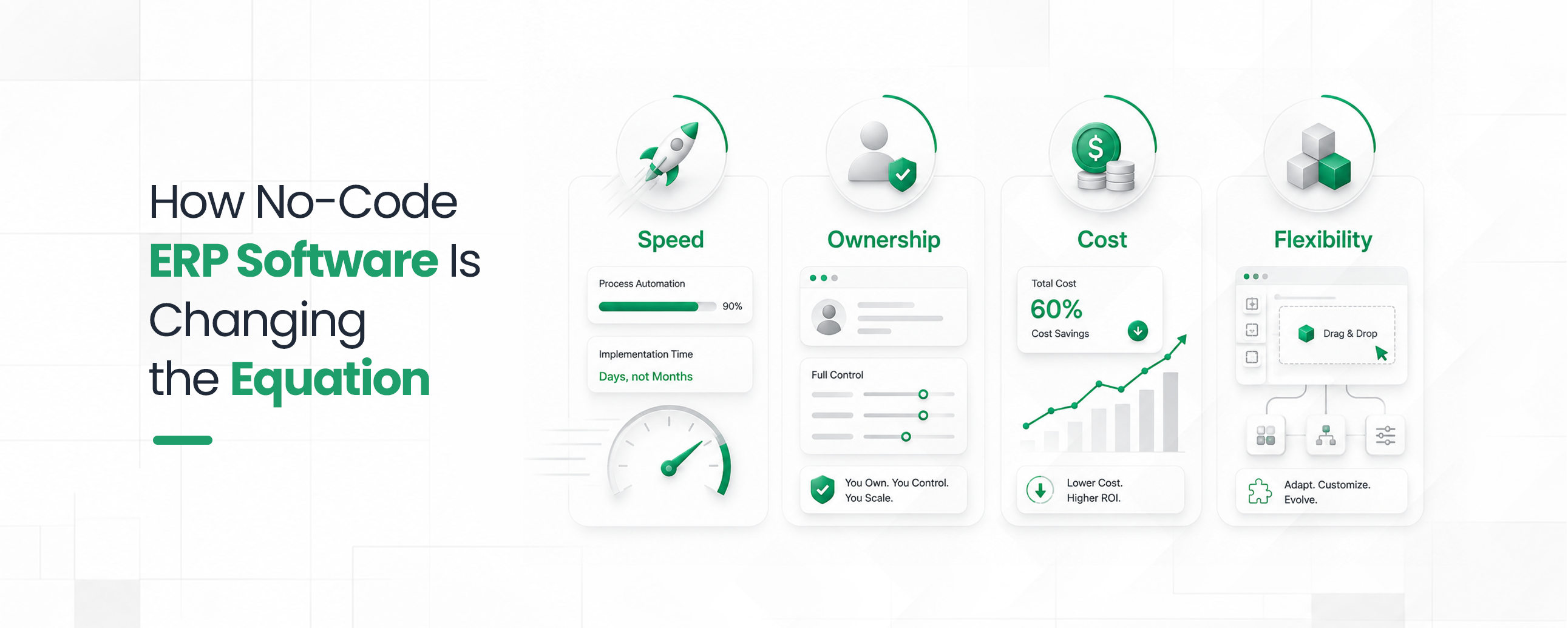
This is really where the shift is happening. No-code ERP software hands the building process to the people doing the work, not just IT.
A production manager who knows exactly how work orders should move through the shop floor can build that no-code workflow software directly.
A few things change once you flip that switch:
CodeBlox's No-Code ERP Workflow Automation is a good real-world example of this: production tracking, automated order approvals, quality control, all built without a line of custom code, and just as easy to change when the process itself needs to change.
Here's the honest complaint most manufacturers have about off-the-shelf ERP: it's built to serve dozens of industries, which means you're paying for modules you'll never touch while missing the features that actually matter for how you build things.
A custom manufacturing ERP built on a no-code foundation flips that around. Instead of bending your operation to fit the software, the software gets built around your operation.
That usually shows up in a handful of places:
Because no-code platforms let manufacturers build and rebuild these pieces themselves, a custom system stops being something only enterprise budgets can afford.
A mid-market manufacturer can realistically own and maintain it in-house just like enterprise application modernization.
CodeBlox's guide on how to build custom ERP software without coding walks through exactly what that looks like, from mapping your data to launching your first workflow.
If ERP modernization is the strategy, manufacturing process automation is where you actually see the return.
Automate the repetitive, rule-based stuff, purchase order approvals, inventory reorder triggers, quality holds, shipment notifications, and your staff gets to spend their time on the exceptions that actually need a person's judgment.
What that looks like day to day:
None of that needs a development team anymore. It needs someone configuring rules inside a no-code workflow builder, which is a very different job and has a much shorter timeline.
Fair question, and usually the first one skeptical IT leaders ask. Custom ERP development used to mean hiring developers, writing a functional spec, and committing to a roadmap measured in years.
No-code platforms handle it differently. Instead of writing code to define data structures, workflows, and screens, teams configure them visually. But on top of a real data model, one with relationships, validations, and permissions baked in, not just a form with a few dropdowns.
That distinction actually matters a lot.
Plenty of tools calling themselves "no-code" are basically a spreadsheet wearing a nicer outfit.
What manufacturers need is something with a real database underneath. It should be capable of handling multi-level bills of materials, department-level permissions, and workflow logic complex enough to actually mirror production.
That's a higher bar than most no-code tools clear. It's exactly the gap the more serious platforms like CodeBlox are built to close.
Cloud-based ERP solutions have become the default for new ERP projects across the board. Moving to the cloud means:
This matters even more once you've got multiple facilities. A cloud-based, no-code ERP means every plant is working off the same live data, instead of everyone reconciling separate spreadsheets on Friday afternoon.
A solid legacy system modernization plan usually includes:
This is one spot where no-code platforms genuinely pull ahead. Integrations that used to require custom middleware often get handled through built-in connectors and open APIs instead, which cuts both the cost and the risk of the whole migration.
CodeBlox is built on a real data foundation, 40+ field types, true relationships between records, formulas, and validations.
This means a work order can actually connect to a bill of materials, which connects to inventory, which connects to a supplier record.
That's the part most no-code tools skip, and it's the part that actually makes a custom manufacturing ERP hold up under real production volume.
A few specifics worth knowing if you're evaluating it:
And because it's genuinely no-code, most manufacturers get their first workflow live in days. Later, they can expand from there at their own pace, the same phased approach we walked through above.If your team is still running production, inventory, and quality checks through a system that fights you at every turn, the next step doesn't have to be another multi-year ERP overhaul.
{CTA button:Book a Demo:https://www.codeblox.com/schedule:Book a demo or start a free 15-day trial and see how much of it you can rebuild yourself faster than you'd think.}
Find answers to the most common questions about our no-code platform and how it can help you build powerful business application solutions without writing a single line of code.
A rigid, decade-old ERP can't really support IoT, predictive maintenance, or AI forecasting; there's just no flexible foundation underneath it. Modernize the ERP first, and everything else you're trying to build has something solid to sit on.
They keep old and new systems talking to each other by connecting your new platform to accounting software, CRM, and other business tools through APIs. That way, data flows automatically instead of being entered three times by three different people.
ERP systems that run on hosted infrastructure instead of a server sitting in a closet down the hall. You get automatic updates, remote access, and disaster recovery built in, without anyone racking new hardware.
They can, as long as there's a real data model underneath, not just a form builder wearing a fancy interface. The good platforms handle complex relationships, permissions, and workflow logic just as well as custom-coded systems used to.
It takes the repetitive stuff off people's plates. Be it approvals, reorder triggers, quality holds, so staff can focus on the exceptions that actually need a judgment call instead of retyping data all day.
%20(1).avif)
Tilly leads Operations and Solution Delivery at CodeBlox, partnering with enterprise teams to design scalable business systems before development begins. With hands-on experience across ERP, CRM, finance automation, and industry-specific digital transformation projects, she writes about solution architecture, process optimization, AI-powered workflows, and the practical decisions that determine whether enterprise software succeeds in the real world.
.avif)
%20(1).avif)

%20(1).avif)

.avif)
.avif)
.avif)
.avif)

.avif)
.avif)
.avif)


.avif)
.avif)
.avif)
.avif)
.avif)
.avif)
.avif)
.avif)
.avif)
.avif)
.avif)
.avif)
.avif)
.avif)
.avif)
.avif)
.avif)
.avif)
%20(1).avif)

.avif)




.avif)
.avif)
.avif)
.avif)
.avif)

.avif)
.avif)
.avif)

%20(1).avif)
.avif)